August 10, 2026 · 2 min read
The Comic / Halftone Photo Effect: A Fun Way to Stand Out Online
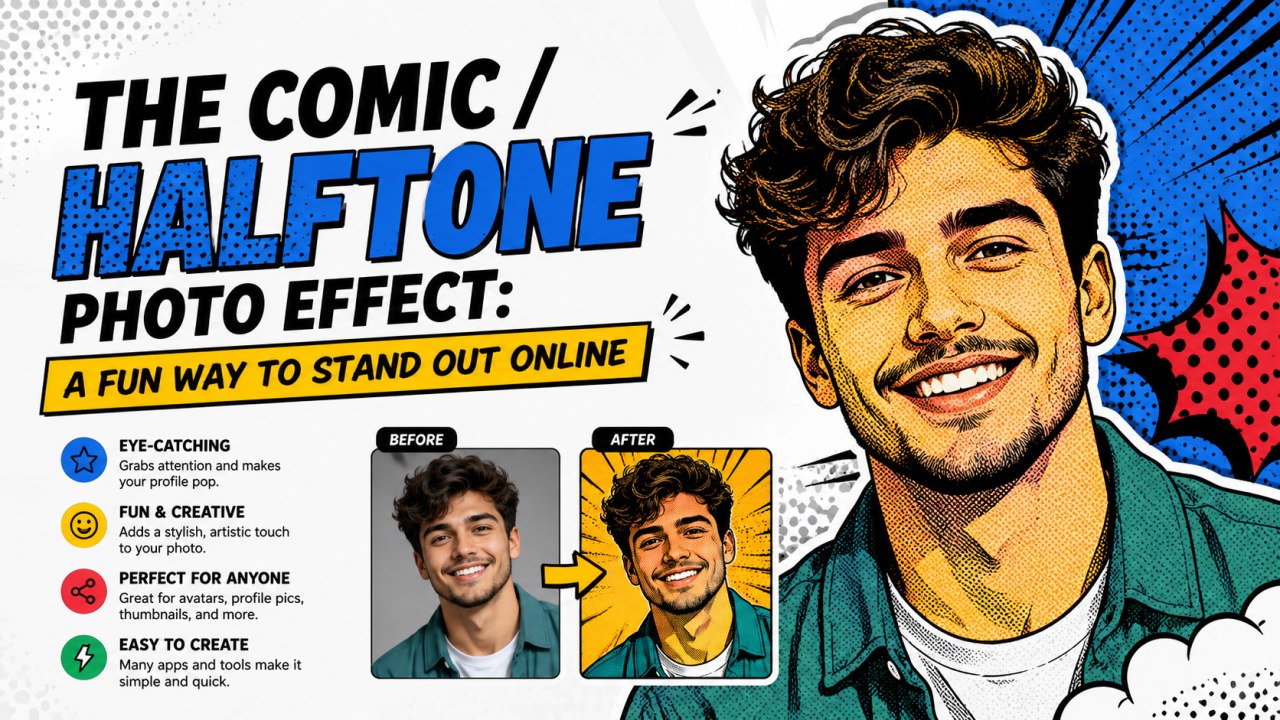
You've probably seen it: a photo rendered entirely in black dots of different sizes, looking like a panel cut from an old newspaper comic strip. It's a striking, distinctive style for a profile photo — and unlike a typical Instagram-style filter, it isn't just a colour adjustment. It's a genuinely different way of rebuilding the image.
How halftone actually works
Traditional printing presses couldn't print shades of grey — only solid ink or no ink at all. Halftone printing solved this by breaking an image into a grid of small dots, where darker areas get bigger dots (more ink) and lighter areas get smaller dots (less ink). From a normal viewing distance, your eye blends the dots back into what looks like a continuous greyscale image. That printing technique is exactly what the "comic" effect recreates digitally: each cell of the photo is measured for brightness, then redrawn as a dot sized to match.
Why it works well for profile photos specifically
Because the effect strips away colour and fine detail, it tends to hide minor lighting or skin-tone inconsistencies that would otherwise stand out in a normal photo — while keeping the shapes (eyes, hairline, jaw, smile) fully recognizable. It also has a strong, consistent look regardless of what the original photo's lighting or background was like, which makes it a good option when you want a bold, uniform style across a set of team or community avatars.
Pairing it with an outline
A common styling choice alongside halftone is a solid white (or colour) outline around the subject — the "sticker" look you'll see on comic covers and pop-art prints. It works by taking the cutout silhouette of the subject, expanding it slightly, and filling that expanded shape with a solid colour behind the halftone image, creating a clean border that separates the subject from whatever background sits behind it.
Try it yourself
The Comic effect in Profile Photo Maker does exactly this — it converts your photo into a halftone dot pattern and adds the white sticker-style outline automatically, entirely in your browser. It pairs especially well with a bold solid or gradient background, since the high-contrast dots read clearly against almost any colour.